>
Jukebox — Party Playlist app icon The group jukebox for parties & weddings

Let your guests
vote on the music.

Host a session from your Apple Music, and everyone votes on what plays next. The most-loved song wins — so the whole room picks the vibe. Friends join in seconds, even just by being nearby.

★★★★★  Free to use · Guests need no subscription · iPhone & CarPlay

See it in action

Real moments, right from the app

No mockups — this is Jukebox actually running.

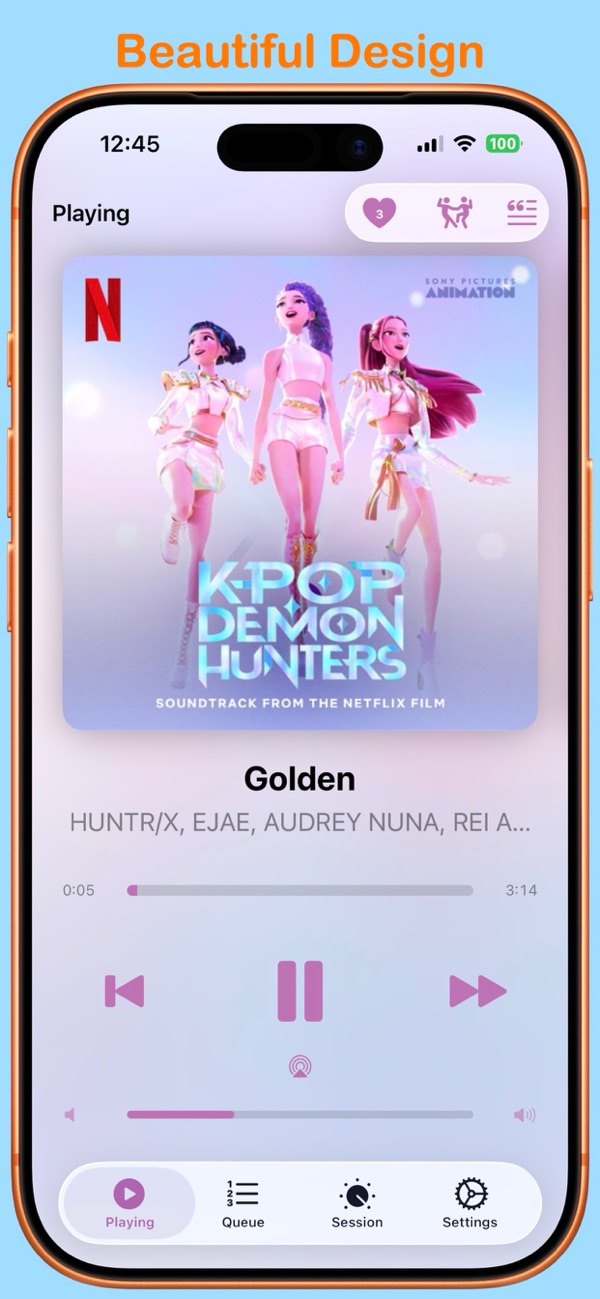
▶ Now Playing

Now Playing

Big artwork, live playback, and the crowd's votes right up top.

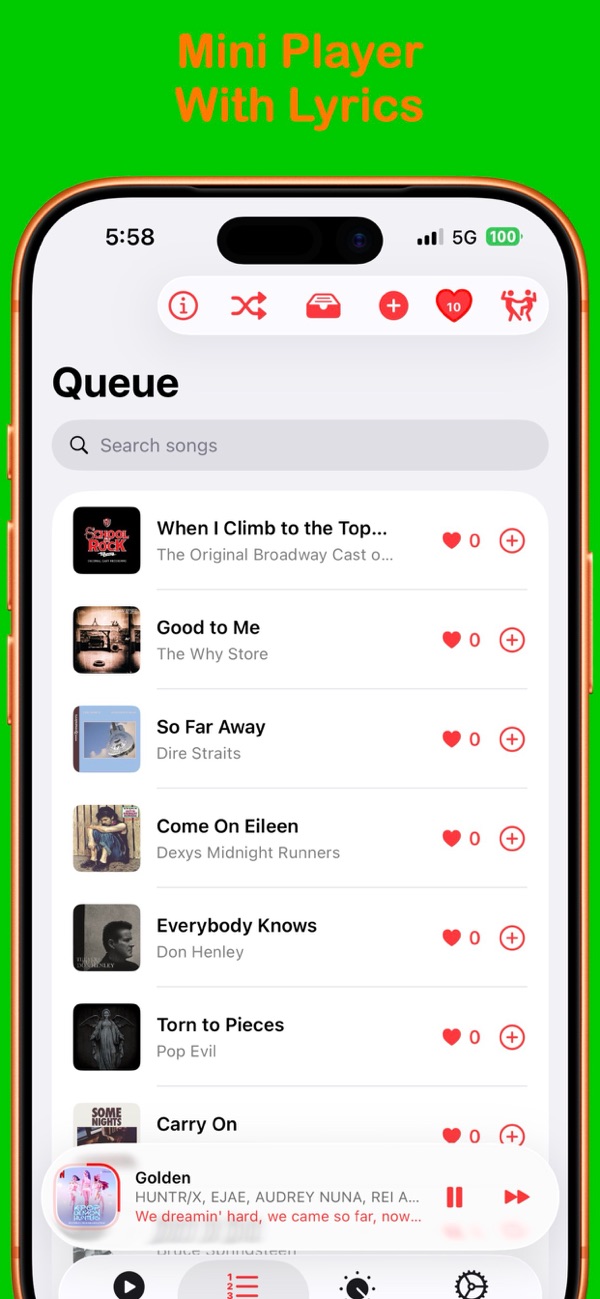
🗳️ Voting

Vote on the next song

Guests heart the tracks they want — favorites rise up the queue.

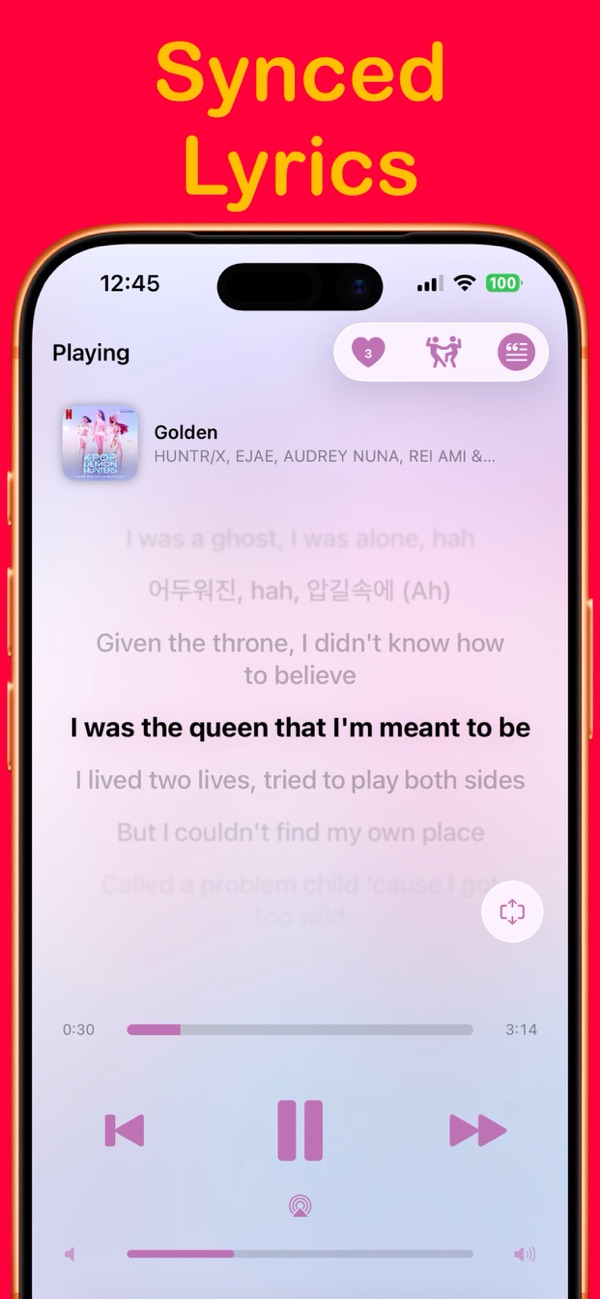
🎤 Lyrics

Synced lyrics

Live, scrolling lyrics for every song — turn any screen into the centerpiece.

Jukebox now playing screen with beautiful design
Voting queue with live vote counts
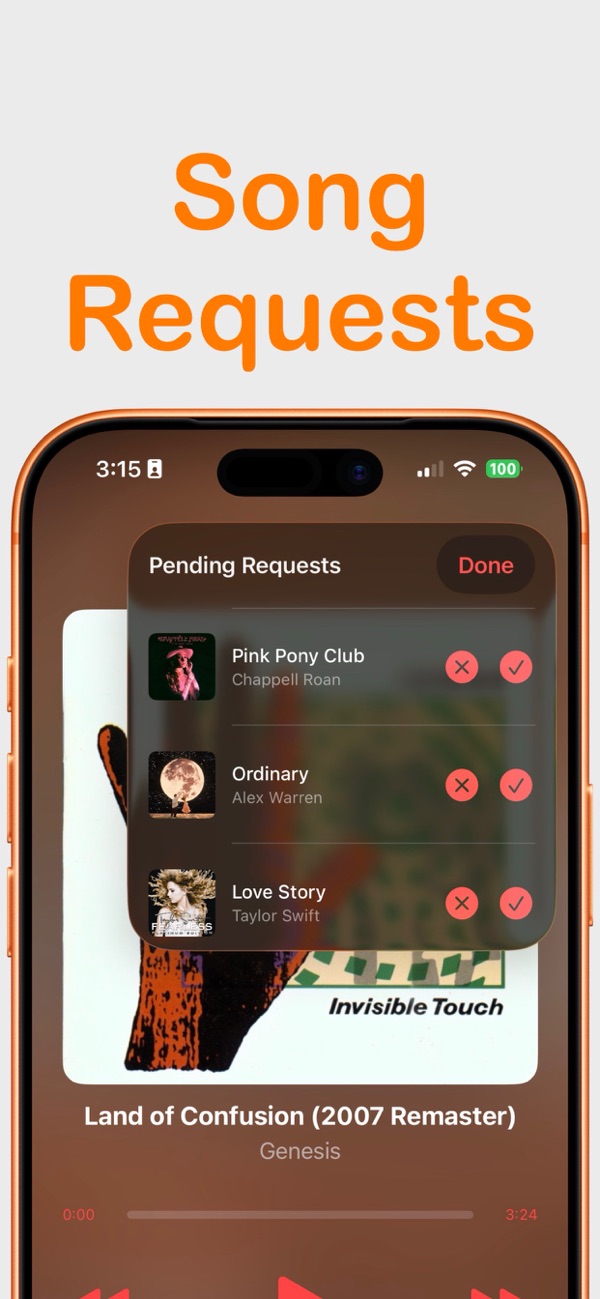
Song requests approval screen
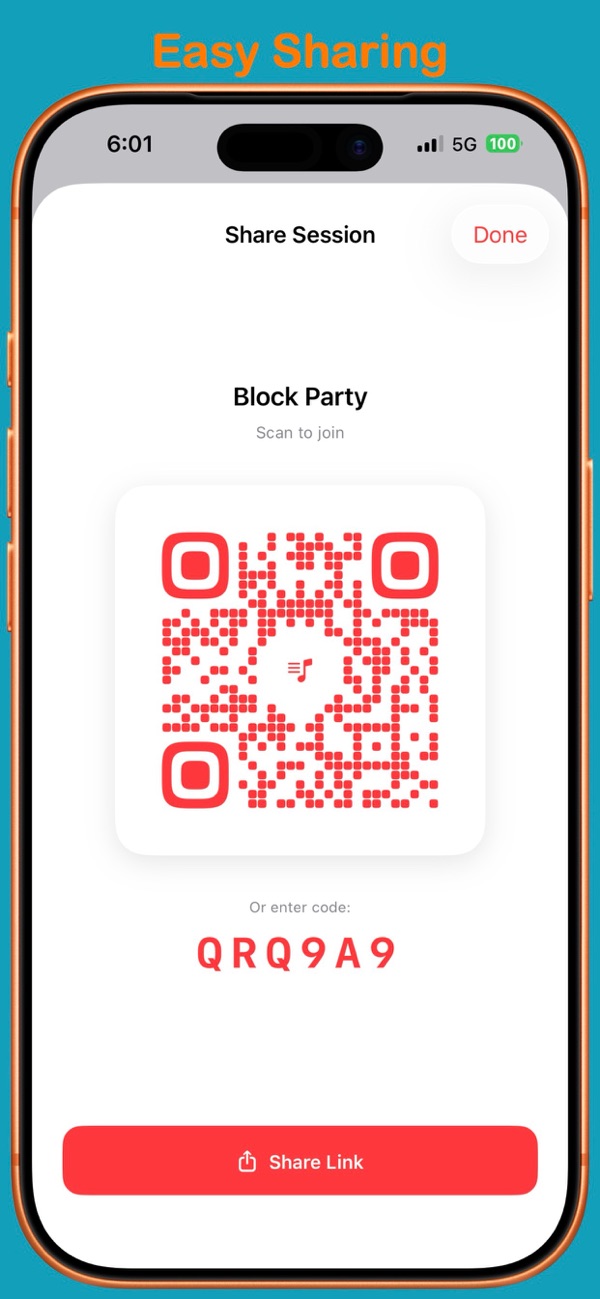
Share a session with a QR code and join code
Time-synced lyrics
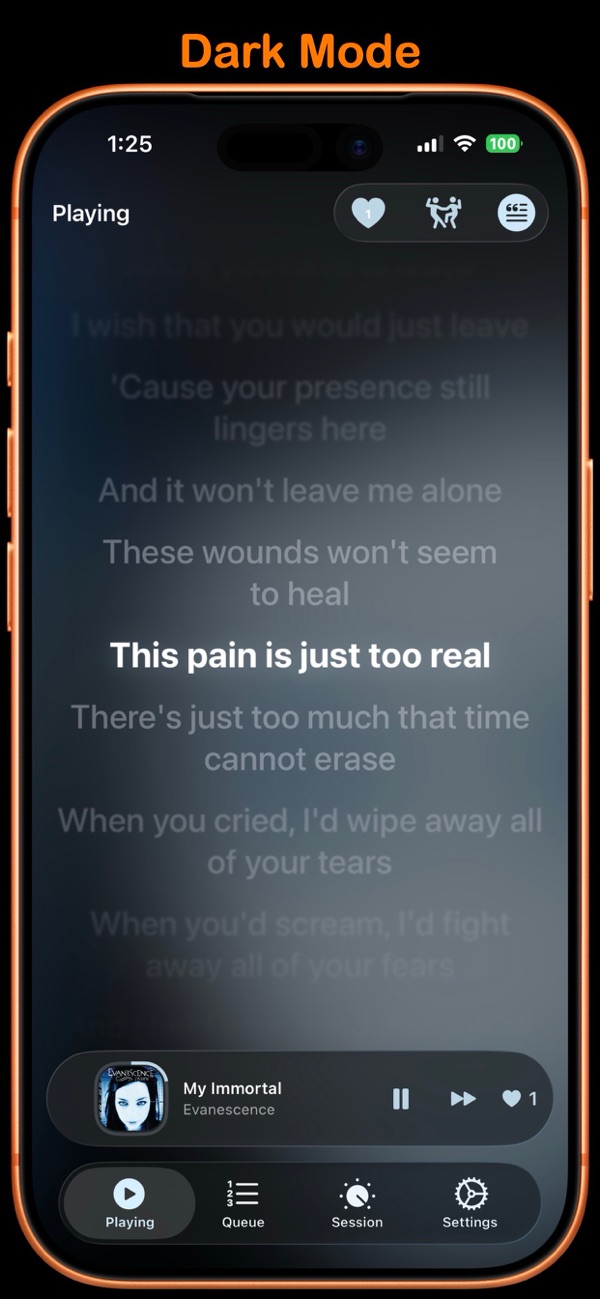
Beautiful dark mode with lyrics
New — Apple TV

Put the party on the TV

A free Apple TV app shows the whole room what's playing, what's next, and who's winning — while your music keeps playing from your phone.

Jukebox on an Apple TV at a house party, showing the now playing song, the voting queue and a join QR code
🔊

Your speakers stay yours

Screen mirroring hijacks your phone's audio — you can't split them. So the Apple TV draws the party screen itself. Your music keeps playing to whatever speaker you already use.

🔡

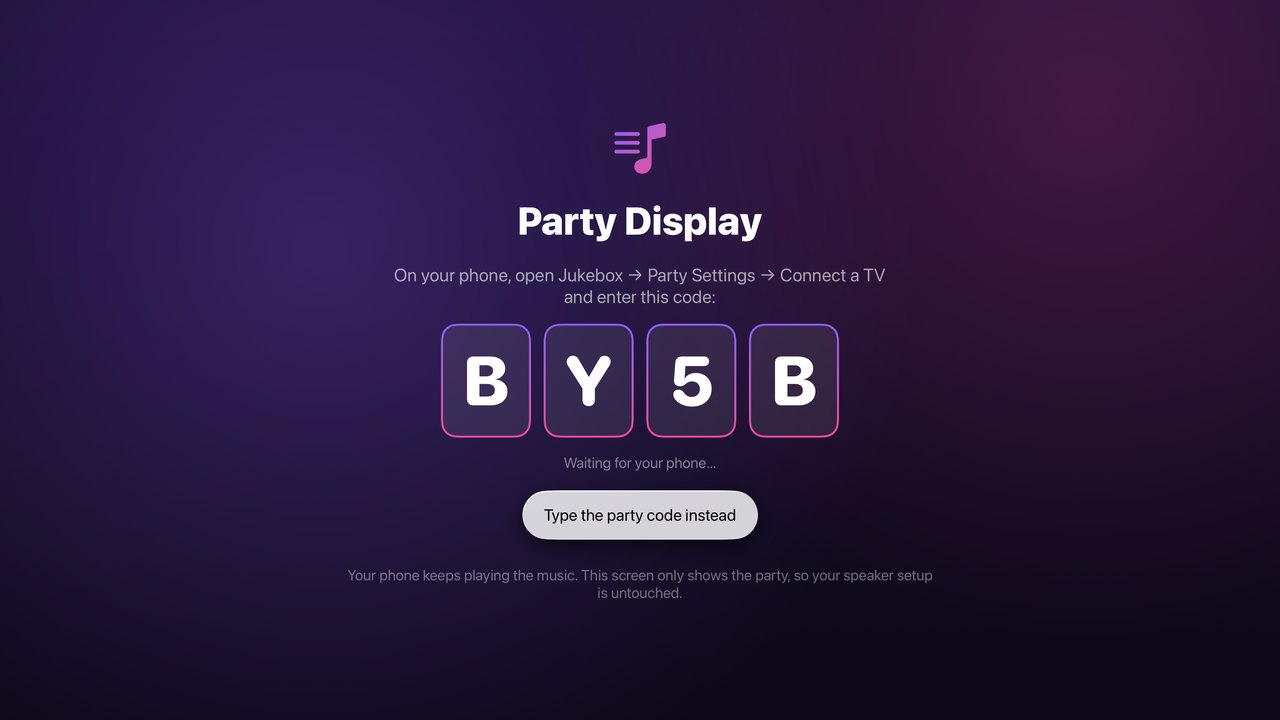
Pair with four characters

The TV shows a short code. Type it once on your phone and you're connected. No typing on the Siri remote, no cables, no setup.

📺

Everything on screen

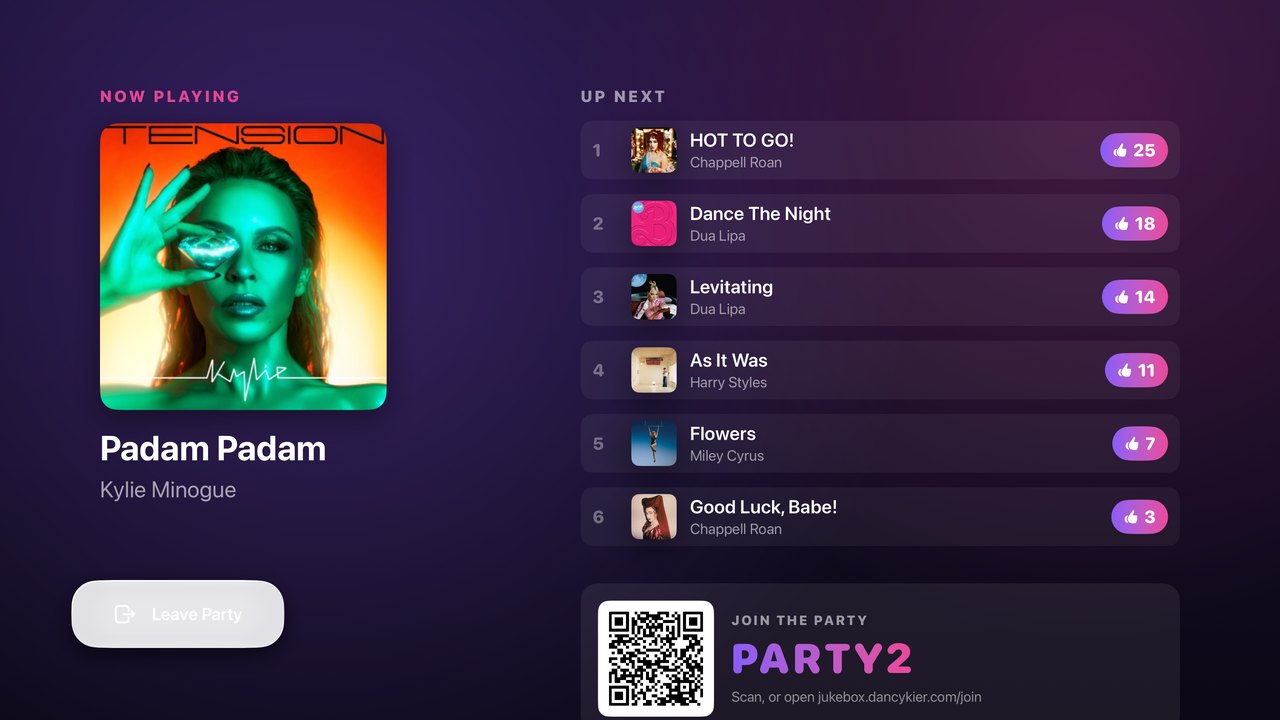
Now playing with full artwork, the queue ranked by live votes, time-synced lyrics, and a join QR guests scan from the couch.

Apple TV showing a four-character pairing code to type on your phone
Pair in seconds with a code
Apple TV party display showing now playing, synced lyrics and the voting queue
The party, on the big screen

No Apple TV? Any television with a web browser can show the same party screen.

The app that lets your guests vote on the music — a group jukebox for parties, a party playlist everyone controls, and the only one you join just by being nearby, no code.Jukebox turns any gathering into a shared soundtrack. Instead of one person hogging the aux, everyone gets a say — they vote songs up, request their favorites, and skip the ones that miss. The crowd becomes the DJ, and the playlist becomes the party.

How it works

Three taps to a crowd-picked playlist

No accounts for guests, no fiddly setup. Start a session and hand the party to everyone in the room.

1

Host a session

Pick any Apple Music playlist or your whole library. Jukebox spins up a live session with a shareable 6-digit code and QR.

2

Guests join & vote

Friends join by code, by scanning the QR, or simply by being nearby — no account needed. They vote on songs and request their own.

3

The room decides

The most-voted track plays next. Anyone can vote to skip. The music stays fair, fun, and social all night long.

Features

Everything a great party needs

Thoughtfully built for house parties, weddings, bars, road trips, and the office — anywhere a group shares the speakers.

📡

Join by being nearby

Guests join automatically when they're close — no code, no QR, no typing. Nobody else does this.

🗳️

Real-time voting

Every guest gets votes. The top track jumps the queue, so the crowd controls the music democratically.

🔎

Request any song

Guests search and request tracks that aren't even in the playlist. Host can auto-approve or curate each one.

⏭️

Democratic skip

Not feeling it? A quick group skip-vote moves things along — set your own threshold as host.

🎤

Time-synced lyrics

Live, scrolling lyrics and full-screen artwork turn any nearby screen into the party centerpiece.

🚗

CarPlay & AirPlay

Great for road trips and big speakers — Jukebox works with CarPlay, AirPlay, and the lock screen.

📺

Apple TV app

Free companion app for the big screen — now playing, the live queue, lyrics and a join QR, without touching your audio.

📱

Guests need no app

Scan the QR and vote in seconds — an App Clip on iPhone, or the voting page in any web browser on anything else.

🏆

Party leaderboard

See whose picks the room actually backs. Live standings for best picks and sharpest voters, right in the app.

📊

Party recaps

After the night ends, look back at every party you've hosted — top songs, top voters, and who voted for what.

🎛️

Host stays in control

Set votes per guest, explicit filters, session rules, and remove or ban anyone — all from your phone.

🌙

Beautiful dark mode

A gorgeous, glassy interface that looks stunning on the couch, at the bar, or on the big screen.

📍

Location access control

Keep sessions to the people actually at your party with optional location-based joining.
Perfect for

Any group, any speakers

🏠House parties
💍Weddings
🍸Bars & lounges
🚗Road trips
💼Office & events
🎂Birthdays
🔥Backyard BBQs
FAQ

Good questions

How do guests join a session?

Three ways: enter the 6-digit session code, scan the host's QR code, or — uniquely to Jukebox — just be nearby and join automatically. Guests don't need to create an account.

Do guests need Apple Music to vote?

No. Only the host needs Apple Music to play the audio. Guests can browse, vote, and request songs without any music subscription at all.

Is Jukebox free?

Yes — Jukebox is free to host and free for guests. An optional Premium subscription removes the session time limit for longer parties.

Can guests request songs that aren't in the playlist?

Absolutely. Guests can search the full catalog and submit a request. The host can auto-approve requests or approve them one by one.

Can I show the party on my TV?

Yes. There's a free Jukebox app for Apple TV. Open it, and the TV shows a four-character code — type that once on your phone and the party appears on the big screen: now playing, the queue with live votes, synced lyrics, and a QR code guests can scan from the couch. Your music keeps playing from your phone, so your speakers are never interrupted. Any TV with a web browser can show the same screen.

Do guests need to download anything?

No. Guests scan the QR code and vote straight away — an App Clip opens on iPhone in about a second, and on anything else the voting page opens in the web browser. No account, no download, no subscription.

What music service does it use?

Jukebox plays through Apple Music on the host's device, with full background playback, CarPlay, AirPlay, and lock-screen controls.

How many people can join?

Sessions are built for real parties — the whole room can join and vote in real time, with live vote counts updating instantly for everyone.

Start the party

Hand the aux to everyone.

Download Jukebox free and let your guests build the perfect playlist together.

Download on theApp Store